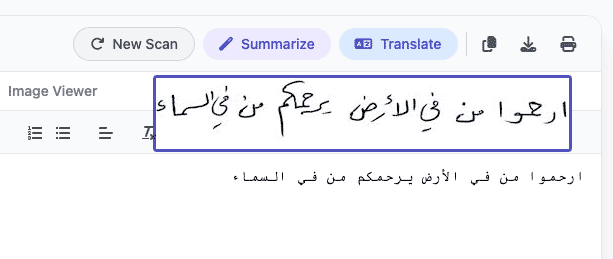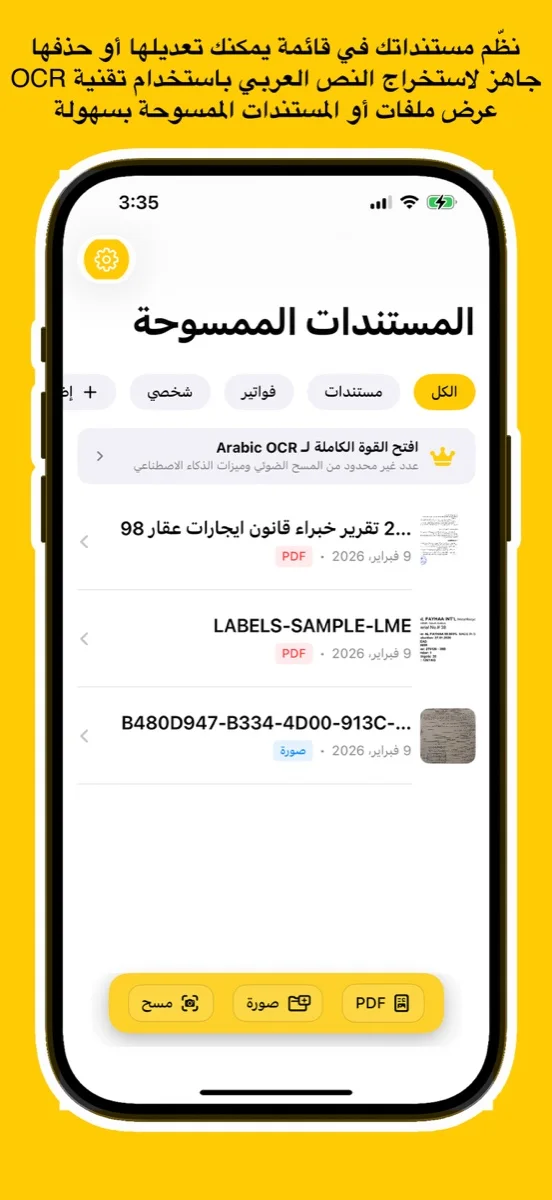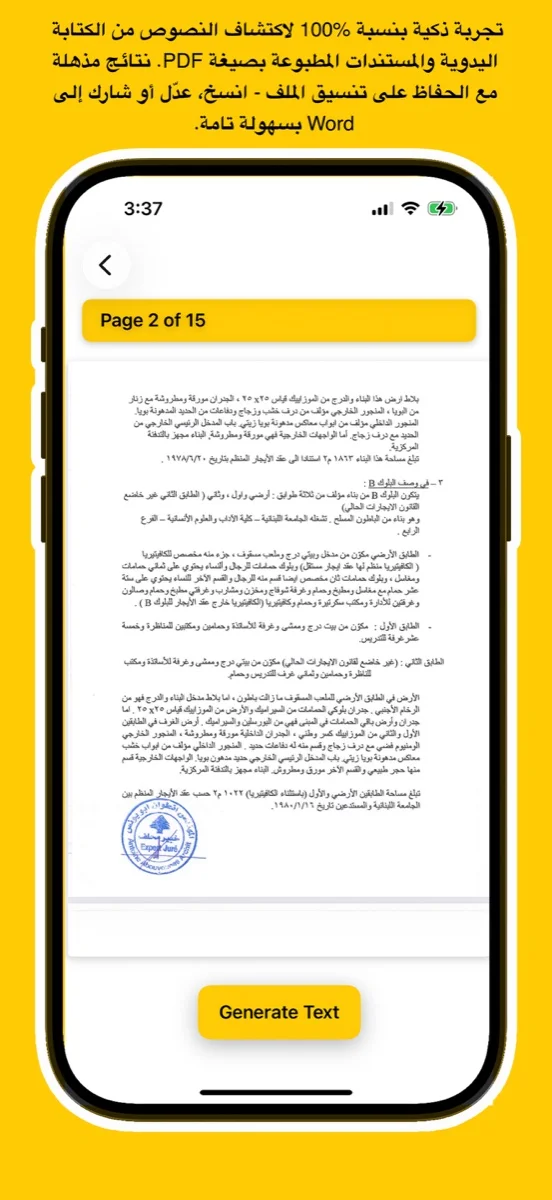
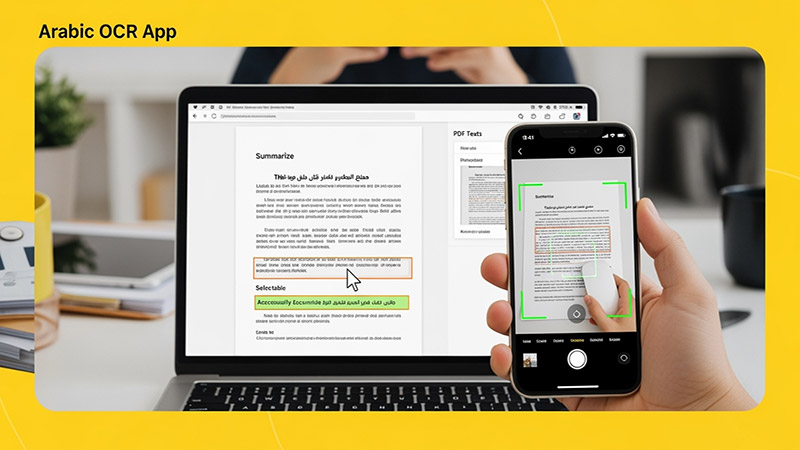
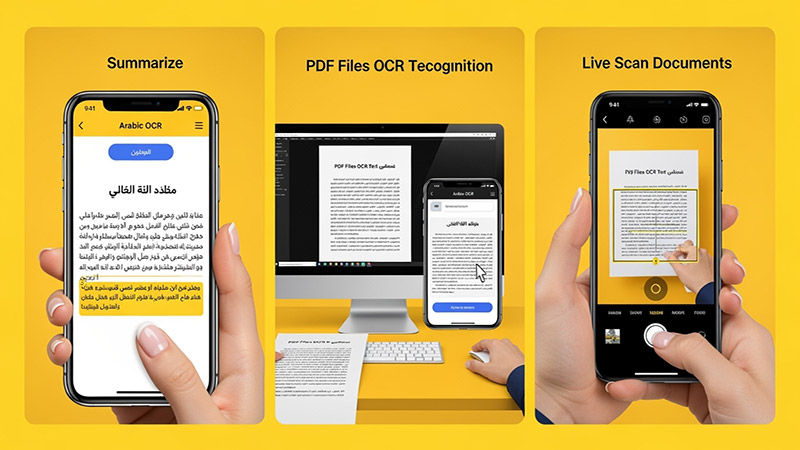
Scan documents, handwriting, or images and convert them into editable Arabic text using advanced AI. Try the free online demo below or download the app for full access on iOS, Android, and macOS.
يتعرف بدقة على النص العربي المطبوع والكتابة اليدوية من الصور أو ملفات PDF أو المستندات الورقية.
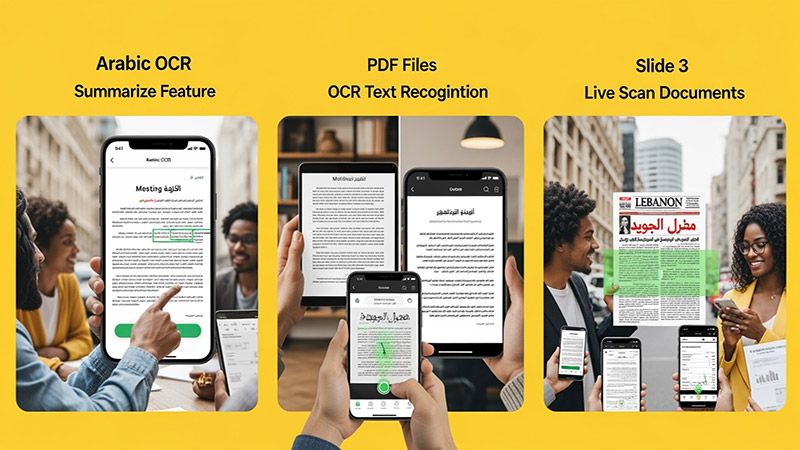
Upload an image, try your handwriting, or drop a file here to extract Arabic
text instantly.
(For full results & PDF support, download the app
below)
Click or Drag Image Here
Supports JPG, PNG - Try Handwriting!
(For PDF Files, please download the App)
Processing... / جاري المعالجة
Want full text & PDF support? / هل تريد النص الكامل ودعم PDF؟
Use advanced Arabic OCR to scan images, PDFs, and handwriting with high precision.
Perfect for students, professionals, journalists, and researchers.
Experience unmatched precision in detecting and extracting Arabic handwriting. Our advanced AI models are trained to recognize various styles of scripts, from student notes to historical manuscripts, converting them into digital text instantly.
اكتشف قوة الذكاء الاصطناعي في التعرف على الخط العربي اليدوي واستخراجه بدقة مذهلة. تم تدريب نماذجنا المتقدمة لمعالجة مختلف أنماط الكتابة، من ملاحظات الطلاب إلى المخطوطات التاريخية، وتحويلها إلى نصوص رقمية فوراً.
Try Handwriting DemoDesigned specifically for the Mac ecosystem. Experience the ultimate privacy and speed with our Apple Local LLM integration. Process your sensitive documents entirely offline, ensuring your data never leaves your device.
مصمم خصيصاً لنظام macOS. استمتع بخصوصية وسرعة لا مثيل لهما مع تكامل Apple Local LLM. قم بمعالجة مستنداتك الحساسة بالكامل دون الاتصال بالإنترنت، مما يضمن عدم مغادرة بياناتك لجهازك أبداً.
Download for macOS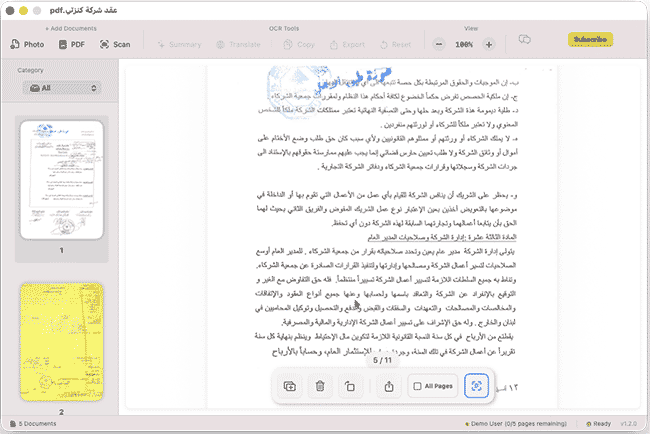
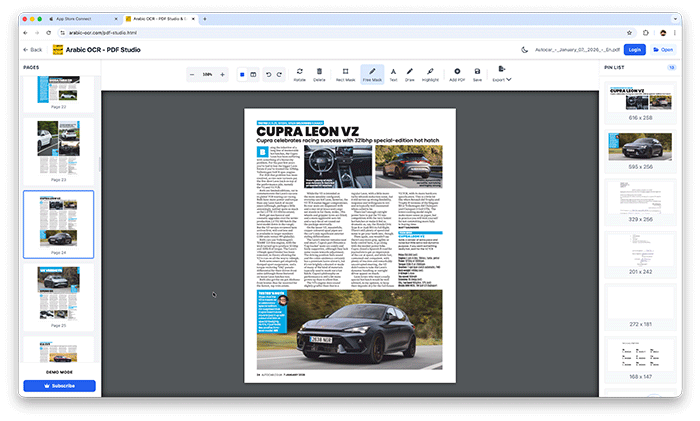
Edit, merge, and organize your PDFs effortlessly with our powerful online studio. No installation required—access advanced tools like page rotation, deletion, and text extraction directly in your browser.
قم بتعديل ودمج وإدارة ملفات PDF الخاصة بك بسهولة عبر الاستوديو المتطور أونلاين. إستمتع بأدوات متقدمة مثل تدوير الصفحات، الحذف، واستخراج النصوص مباشرة من متصفحك دون الحاجة لأي تثبيت.
Open PDF Studio Portalوداعاً للكتابة اليدوية! مع تطبيقنا، يمكنك استخراج النصوص العربية من أي مصدر بضغطة زر واحدة عبر جميع تطبيقاتنا.
دعم كامل للخطوط العربية المطبوعة واليدوية بفضل خوارزميات المعالجة المتقدمة.
معالجة فورية للصور، المستندات الممسوحة ضوئياً، وملفات PDF متعددة الصفحات.
استمتع بتجربة مستخدم سلسة حيث يتم استخراج النصوص وتنسيقها خلال ثوانٍ معدودة.
نظام متطور يفهم سياق الحروف العربية لضمان أعلى مستويات الدقة وتقليل الأخطاء.
Learn how to use Arabic OCR Web Portal in minutes
This comprehensive tutorial covers everything you need to know about using the Arabic OCR Web Portal, including document scanning, text extraction, AI-powered summarization, and translation features.
Learn how to edit, merge, and manage your PDFs with PDF Studio
BitRecover offers several legitimate methods to acquire a working license key:
If you are serious about migrating PST files without data loss, folder corruption, or security risks, purchasing a legitimate BitRecover PST Converter Wizard key is the only sensible path. While the initial cost might seem high compared to “free” cracks, the peace of mind—plus full technical support, updates, and safety—is invaluable.
Final recommendation: Always download the software from the official BitRecover website, purchase a license directly, and store your key in a safe location (password manager or secure email folder). Avoid any website offering a “key generator” or “cracked version” for this tool—your data is worth far more than the price of a license.
Keywords used naturally: bitrecover pst converter wizard key, PST Converter Wizard license, activate PST Converter Wizard, BitRecover PST Converter full version, legal PST migration tool.
The BitRecover PST Converter Wizard license key is required to unlock the software's full capabilities, as the free demo version is restricted to converting only 25 items per folder.
A valid license key removes these limitations and provides access to several advanced technical features: Key License Features
Unlimited Conversion: Successfully convert entire Outlook PST mailboxes without any file size or item count limitations.
39+ Saving Options: Export PST data into a wide variety of formats including MBOX, PDF, EML, MSG, HTML, and DOC.
Direct Cloud Migration: Directly import PST files to cloud platforms like Gmail, Office 365, and Yahoo Mail.
Batch Processing: Convert multiple PST files or entire folders simultaneously to save time.
Data Integrity: Maintains the original folder hierarchy and preserves all email metadata (Headers, To, Cc, Bcc, Subject, Date).
Advanced Filtering: Use date range filters and selective folder conversion to migrate only specific data.
Corrupt File Support: A specialized "Recovery Mode" allows for the conversion of damaged or corrupted Outlook data files.
Auto-Naming Options: Over 10 different file naming conventions (e.g., Subject + Date, From + Subject) to organize output files. Version Comparison BitRecover PST Converter Wizard Key - Facebook
I notice you’re asking for a story involving a software key for “Bitrecover PST Converter Wizard.” While I can’t provide or generate any actual license keys, product cracks, or authentication codes (as that would violate software licensing terms and potentially laws), I’d be happy to write a fictional, ethical short story that mentions such a tool in a realistic, helpful, or cautionary way.
Here’s a short story based around that idea:
Title: The Lost Archive
Logline: When a small law firm’s legacy Outlook data threatens to derail a major case, their IT coordinator must find a legitimate way to recover years of critical emails — and learns a lesson about shortcuts.
Maya Chen stared at the error message on her screen: “The file you are trying to open is incompatible with this version of Outlook.” bitrecover pst converter wizard key
It was 11 PM. The deposition was at 9 AM.
The file in question was Waters_v_Andersen_2013-2018.pst — ten gigabytes of witness statements, client emails, and opposing counsel correspondence. Without it, the senior partner would be flying blind.
The problem: The PST was from Outlook 2010. The firm had upgraded to Microsoft 365 three years ago, and somewhere in migration, this archive had been marked “complete” and left in a dusty network folder.
Now it wouldn’t mount.
Maya tried the built-in Repair tool. Nothing. She tried importing it into a fresh Outlook profile. Corrupted structure. She even spun up a Windows 7 VM with Outlook 2010 — partial success, but the folder tree was garbled and search was broken.
Desperate, she searched for solutions and landed on BitRecover PST Converter Wizard. A clean tool — she’d used their free edition once to convert a few hundred contacts. But now she needed to export the full Waters archive into a modern, searchable format: EML files, maybe PDFs, or even a fresh PST that Outlook 365 could read.
The free version only handled 25 items per folder. She had 80,000.
She checked the price: $149 for a single license. Reasonable, but procurement took three days. She didn’t have three days.
Then she saw a forum post: “Looking for BitRecover PST Converter Wizard key.” Below it, someone had pasted what looked like a key — all caps, five groups of five alphanumeric characters.
Maya’s finger hovered over the copy button.
One click. She could try it. Worst case, it didn’t work.
But she’d been in IT long enough to know: those keys were often stolen, recycled, or bundled with malware. And using a cracked key for client data? That violated her ethics agreement with the state bar. One audit, one discovery request — and her career could unravel.
She closed the forum.
Instead, she emailed the CFO at 11:15 PM: “Emergency software purchase — $149. I’ll expense it and justify in the morning. The Waters case depends on it.”
The CFO, working late herself, replied in two minutes: “Approved. Send invoice.”
Maya bought the license. Key arrived instantly.
She installed the BitRecover PST Converter Wizard, entered the legitimate key, and selected her options:
The tool ran for 47 minutes. Progress bar: 1%... 23%... 67%... 100%. BitRecover offers several legitimate methods to acquire a
“Conversion completed successfully. 83,142 items processed. 0 errors.”
She mounted the fresh PST in Outlook 365. Folders intact. Search functional. Every email from the Waters case, readable.
At 9 AM, she handed the senior partner a USB drive with the converted PST and a printed index of key witness emails.
The deposition went smoothly. The firm won a summary judgment two weeks later.
And Maya? She wrote a quick internal guide titled “Why We Don’t Use Cracked Software — Even at 11 PM.”
Moral (for your actual situation):
If you’re looking for a key for BitRecover PST Converter Wizard, the only safe, legal, and functional path is to purchase a license from the developer. Cracked keys risk malware, corrupted data, legal liability, and no technical support when you need it most. The $149 (or similar) is cheap insurance compared to losing critical emails before a deadline.
The BitRecover PST Converter Wizard license key is a unique alphanumeric code required to unlock the full capabilities of the software, which is otherwise restricted in its free trial mode. While the BitRecover trial version allows users to test the interface and convert a limited number of items (typically 25 per folder), the license key is essential for large-scale data migrations. Core Functionality Unlocked by the Key
Once activated with a valid key, the software provides a comprehensive suite of professional features:
Unlimited Conversion: Removes the trial's item limit, allowing for the processing of massive PST files without data loss.
30+ Output Formats: Users can convert PST data into generic formats like PDF, MBOX, EML, and DOC, or directly migrate it to cloud services like Gmail, Office 365, and IMAP servers.
Advanced Filtering: Access to sophisticated "Selective Conversion" options, including date range filters, subject filters, and folder exclusion.
Corrupt File Handling: Unlocks the "Recovery Mode," which specializes in extracting data from password-protected, damaged, or orphaned PST files. License Types and Pricing
BitRecover typically offers different license tiers based on the user's scale of operation. According to reviews from TechRadar, common pricing structures include: Features Offered by BitRecover for PST Converter Tool
To obtain an official BitRecover PST Converter Wizard license key, you must purchase a license directly from the BitRecover official website or authorized marketplaces. Using unauthorized keys or "cracks" poses significant security risks, including malware and data breaches. Licensing Options and Pricing
BitRecover offers several license tiers based on usage needs. Prices typically start at $29.00.
Standard License ($29): Designed for personal use on up to 2 machines.
Pro License ($49 - $69): Suitable for business use on up to 5–10 machines with additional saving options.
Migration/Enterprise License ($99): For large-scale batch conversions on up to 10 machines, supporting advanced cloud migrations like Office 365 and Exchange Server. How to Activate Your Key Title: The Lost Archive Logline: When a small
Once your payment is confirmed, the activation key and download link are delivered automatically via email.
Download and Install: Launch the setup on your Windows or Mac machine.
Open the Software: Click the activation or "Register" button (usually found in the top menu).
Enter Credentials: Input the email address used for purchase and the unique license key provided in your confirmation email.
Complete Activation: Click Activate to unlock unlimited file conversions. Free Trial vs. Licensed Version
You can evaluate the software using the Free Demo Edition before buying a key.
Free Demo: Allows you to convert only the first 25 items per folder to test functionality.
Licensed Version: Removes all item limits, provides 24/7 technical assistance, and unlocks 30+ unique saving options.
For specialized needs, retailers like SoftwareSuggest and Technology Counter also list current pricing and feature comparisons for the Wizard. BitRecover PST Converter Wizard
To legitimately obtain a BitRecover PST Converter Wizard activation key , you must purchase a license directly from the official BitRecover website or authorized marketplaces like Microsoft AppSource
. Upon payment confirmation, an automated email containing the download link and unique activation key is sent to your registered address. BitRecover Licensing Options & Pricing
The software is available in several tiers based on the number of machines and output formats required: Standard License (~$29 - $39): 2 machines
. It includes basic saving options like EML, MSG, MBOX, and PDF. Pro/Corporate License (~$49 - $99): 5-10 machines
. This tier often adds support for cloud migrations (Gmail, Office 365) and enterprise email clients like Lotus Notes or Zimbra. Enterprise/Migration License (~$299+):
Designed for large organizations, offering unlimited file conversions and advanced batch processing across many workstations. SoftwareSuggest Key Features of the Full Version
Activating the software with a valid key unlocks features restricted in the free demo (which only converts 25 items per folder BitRecover Features Offered by BitRecover for PST Converter Tool
Before discussing the key, it is important to evaluate what the key actually unlocks. The software is generally well-regarded in the IT administration community for the following reasons:




This app uses the latest Google Vision API — a powerful AI technology trained on millions of real-world documents — to deliver exceptional OCR accuracy.
Whether it's complex handwriting or low-quality images, Google Vision’s neural networks ensure precise text recognition every time.
Benefit from ongoing improvements in Google’s AI models. As the API evolves, your OCR results get even better — no app update required.
يستخدم هذا التطبيق أحدث إصدار من Google Vision API، وهي تقنية ذكاء اصطناعي قوية تم تدريبها على ملايين المستندات الواقعية لضمان دقة فائقة في التعرف على النصوص.
سواء كانت كتابة يدوية معقدة أو صور بجودة منخفضة، توفر خوارزميات Google نتائج دقيقة في كل مرة.
استمتع بـ تحسينات متواصلة في أداء الذكاء الاصطناعي من Google. مع كل تحديث تقني، تتحسن نتائج التعرف دون الحاجة لتحديث التطبيق.
Discover tips, tutorials, and latest news about Arabic OCR and AI technology.